Swarm Robotics in Reality

DotBot Academy

Geovane Fedrecheski

AIO team, Inria Paris

The speaker

Step 1 · Who we are 1/3

Portrait photo of Geovane Fedrecheski, smiling, on a city street.
Figure 1: Geovane Fedrecheski.

Geovane Fedrecheski

Lead Research Engineer, AIO team, Inria Paris

  • Leads the 1,000-robot DotBot testbed; designed Mari, the testbed’s radio link layer
  • IoT security at the IETF: co-author of ELA (zero-touch enrollment), implemented EDHOC in Rust as Lakers
  • Background: PhD in Electrical Engineering (USP), BSc in Computer Science (UNICENTRO), visitor scholar at UC Berkeley, earlier at LG Electronics
  • Research interests: swarm robotics, the Internet of Things, IoT security, education

fedrecheski.com · GitHub · LinkedIn

Inria, and Inria Paris

Step 1 · Who we are 2/3

The French national research institute for digital science and technology.

4,350 collaborators: 2,500 Inria staff and 1,850 from partner institutions

Inria Paris, our centre

35 project teams

700 people

55 nationalities

With PSL, Sorbonne Université and Université Paris Cité. Figures from inria.fr and Inria’s institutional infographic.

Lille Saclay Nancy Strasbourg Rennes Nantes Lyon Grenoble Bordeaux Pau Montpellier Sophia Antipolis Inria Paris our centre 9 research centres local offices
Figure 2: Inria’s nine research centres, and its local offices.

The AIO team

Step 1 · Who we are 3/3

Formerly low-power wireless for the Internet of (Important) Things. Now robotic swarms, IoT security, chip-scale sensing.
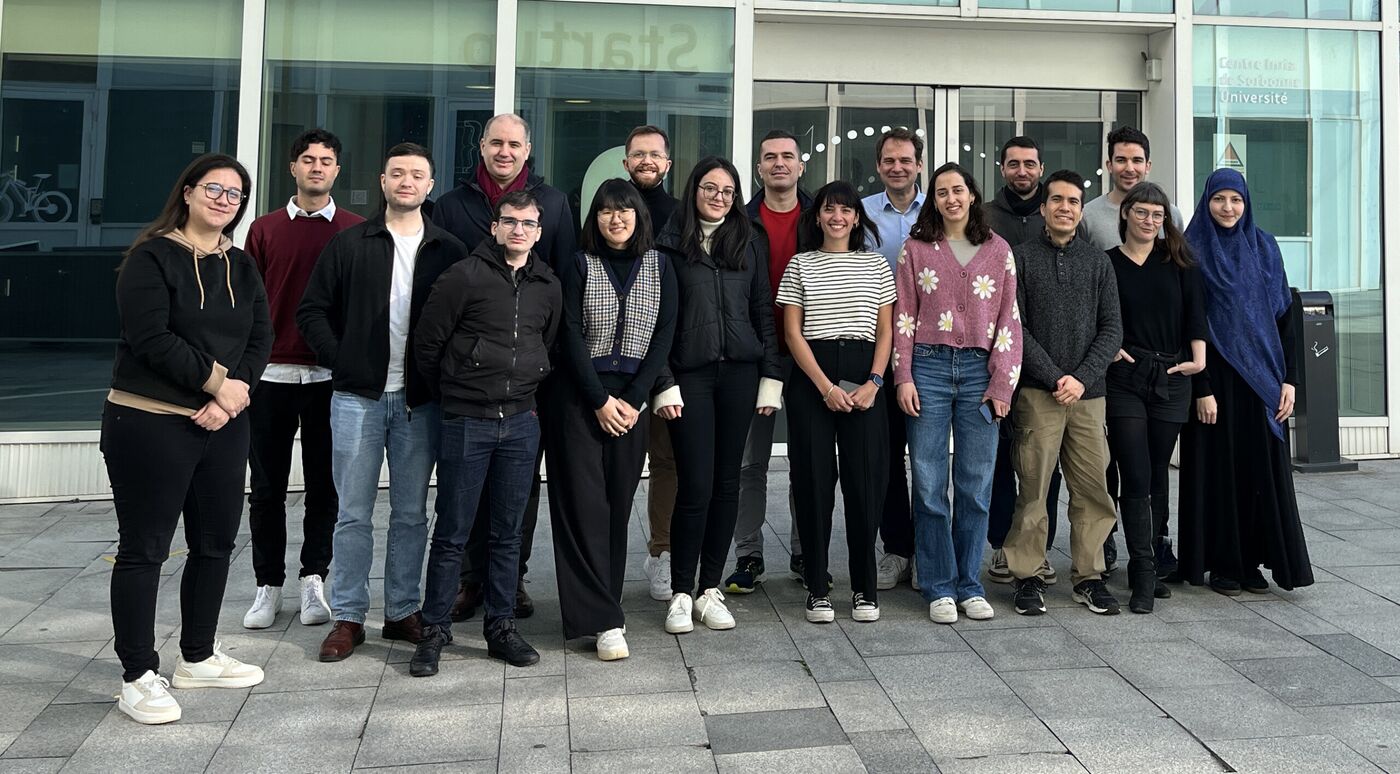
Group photo of about twenty members of the AIO team standing outside the Inria Paris building.

Figure 3: The AIO team, February 2024. Photo: aio.inria.fr.

Smart Dust Low-Power Wireless Networking Security in Constrained Systems Swarm Robotics Vehicle Area Networking

What DotBot Academy is

Step 1 · DotBot Academy 1/9
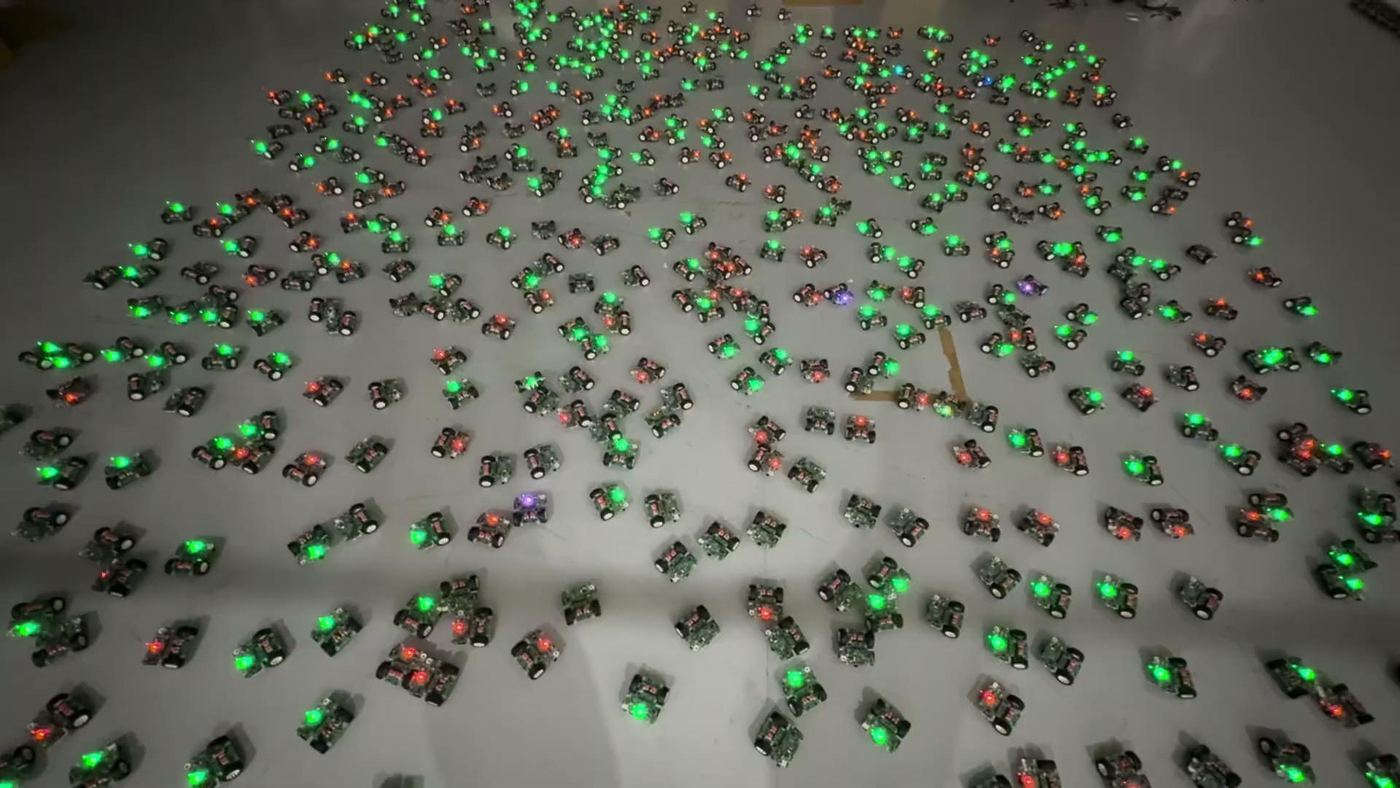
Photo of hundreds of DotBot robots with green LEDs on a grey warehouse floor.
Figure 4: Hundreds of DotBots on the floor of the 725-robot deployment, Limerick, January 2026.

Program a swarm of small robots with Python: first in a simulator, then on real robots.

8 steps, from the simulator to real robots 2 + 2 two people, two robots per duo 20 robots in the room

Why swarm robotics?

Step 1 · DotBot Academy 2/9

Illustration of many small solar-panel robots spread over a Martian landscape.
Figure 5: The promise: many simple robots working together, as illustrated in the LeSwarm pitch.
  • Many simple robots, one collective behaviour that emerges from them
  • Resilient: lose a few robots and the swarm carries on
  • In parallel: more robots cover more ground at once

logistics and warehouses environmental monitoring agriculture search and rescue inspection in hard-to-reach places collective transport space exploration

The reality

Step 1 · DotBot Academy 3/9
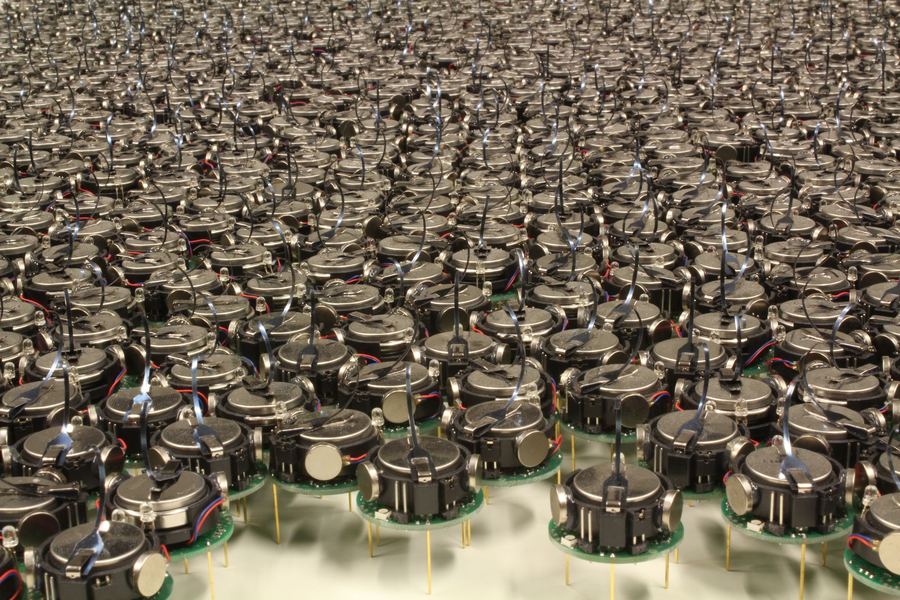
Photo of about a thousand small three-legged Kilobot robots packed on a table.
Figure 6: Kilobots, Harvard, 2012: up to 1,024 cheap robots, but slow; an experiment takes hours. Rubenstein et al., ICRA 2012.
Photo of the Robotarium arena with a few small robots on a white table.
Figure 7: The Robotarium, Georgia Tech, 2017: 20 robots of about 300 USD, experiments of 15 minutes at most. Pickem et al., ICRA 2017.
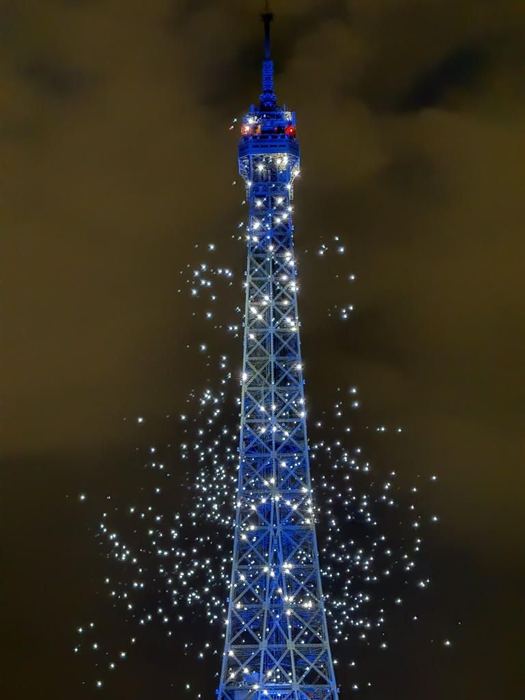
Photo of the Eiffel Tower at night surrounded by lit drones.
Figure 8: Drone shows, Paris, 2025: a pre-programmed choreography, not a swarm.

Lab swarms stop at a handful of connected robots or at slow ones, and real deployments are still missing.

Good robots, not swarm robots

Step 1 · DotBot Academy 4/9

platform good for why it does not scale to a real swarm
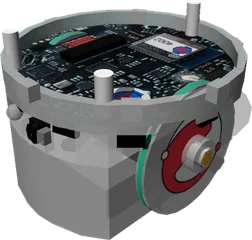
e-puck2 research €1,200 per robot · not designed for swarms · under 10 connected at once
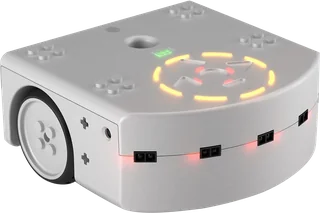
Thymio teaching, in schools 1 to 8 hours to charge · under 10 connected at once
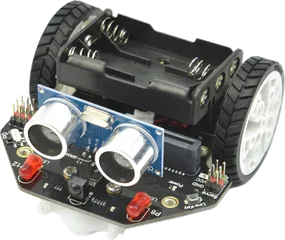
micro:Maqueen teaching, with a micro:bit $32 plus a micro:bit · AAA batteries · no localization · programmed one robot at a time
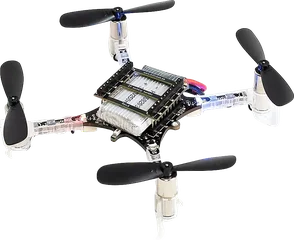
Crazyflie research and teaching not designed for swarms · localization rare or costly · under 10 connected at once
DotBot research and teaching €150 per robot · built for swarms · charges in under a minute · localization from a €250 base station · 1,000 connected
Figure 9: Platforms for teaching and research robotics, against what a real swarm needs. Source, figures and pictures: the LeSwarm pitch, May 2026; micro:Maqueen Lite: the DFRobot product page, 2026. Photo: DFRobot.

The usual setup: 2 hours to charge, under 10 connected robots, a €50,000 localization system, and tools that drive one robot at a time.

Why it is hard

Step 1 · DotBot Academy 5/9

With hundreds of robots, every chore is multiplied. Each one is a pillar of today’s platform.

💶 Afford hundreds of robots → The robot

🔋 Charge them all, again and again → The robot

📍 Locate every robot, live → Lighthouse 2

📡 Connect hundreds at once, with low latency → Mari

🔄 Reprogram the whole fleet, safely → SwarmIT

🧪 Sim to real the same code in the simulator and on the floor → PyDotBot

The result: a slow rate of scientific progress. After M. Dorigo, G. Theraulaz, V. Trianni, Swarm robotics: past, present, and future, Proceedings of the IEEE, 2021

Our proposal

Step 1 · DotBot Academy 6/9

Problem Hundreds of real robots are out of reach for most labs, classrooms and companies

Solution An open platform for swarm robotics at scale: the DotBot testbed

Research Past the simulation-reality gap: experiments with hundreds of real robots

Education A real swarm in class, programmed in Python, instead of a few line followers

Innovation Physical validation of swarm ideas, without buying a hundred industrial robots

1,000 robots: the goal of our testbed, built in the EU project OpenSwarm

725 robots in one deployment, January 2026

open hardware, firmware and software

We built all of it, from scratch

Step 1 · DotBot Academy 7/9

🤖 Hardware the DotBot robot, board and charging

⚙️ Firmware drivers and apps, in C, on the robot

📍 Lighthouse 2 localization, one photodiode per robot

📡 Mari the radio network for hundreds of robots

🛡️ SwarmIT safe reprogramming over the air

🐍 PyDotBot the software on your laptop

Our mission Enable a new level of swarm robotics experimentation: hundreds of real robots, open to everyone.

Your textbook

Step 1 · DotBot Academy 8/9
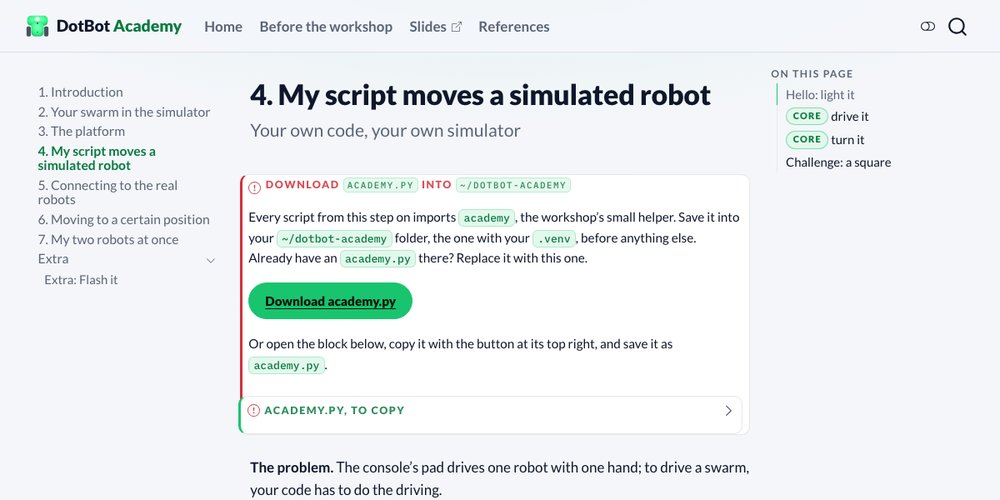
Screenshot of a workshop step page, My script moves a simulated robot.
Figure 10: The workshop website: one page per step, with what to do and what you should see.
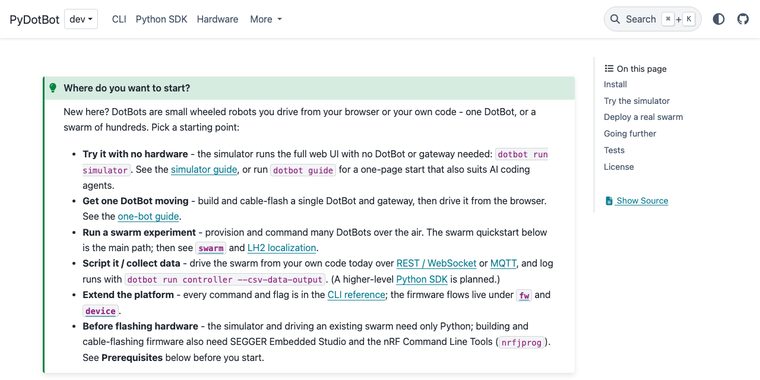
Screenshot of the PyDotBot documentation home page.
Figure 11: The PyDotBot docs, where the step pages send you when you need the details.

Follow the workshop pages; they take you into the docs when you need them.

Today’s plan

Step 1 · DotBot Academy 9/9

Step 1 Introduction

Step 2 The platform: how it works

Step 3 Your swarm in the simulator

Step 4 My script moves a simulated robot

Step 5 Connecting to the real robots

Step 6 My script moves a real robot

Break Robots on the charger

Step 7 Moving to a certain position

Step 8 My two robots at once

Finale To be decided

Wrap-up Questions, and what comes next

From simulator to reality

Step 2 · The platform
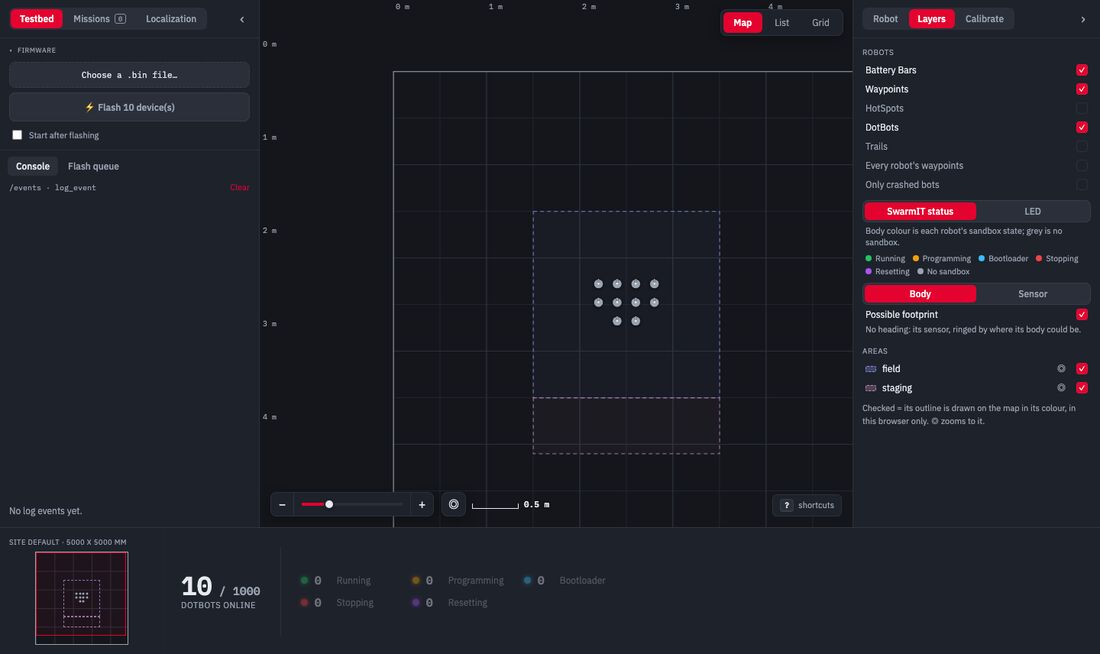
Screenshot of the PyDotBot console with simulated robots on the map.
Figure 12: A swarm in the simulator, as you will run it on your laptop in step 3.

→ ?

Photo of hundreds of DotBot robots with green LEDs on a grey warehouse floor.
Figure 13: A real swarm: hundreds of DotBots on the floor, Limerick, January 2026.

A swarm in a simulator is a few commands away. The real robots are right there.

How hard can it be?

The platform

Step 2 · What we have today

2 x 2 m field 1 lighthouse sweeps infrared over the field 20 robots each computes its own position 1 radio gateway Mari, 2.4 GHz MQTT instructor laptop runs the controller
Figure 14: Today’s setup.

Everything you’ll use today runs on five building blocks. Each one is published research.

Five pillars, five problems

The platform · Overview

problem solution how
swarms that are expensive and slow to charge 🤖 The robota cheap robot, built by the hundreds two 120 F supercaps, full in about 30 s
costly tracking that does not scale 📍 Lighthouse 2off-the-shelf base stations each robot computes its own position, from one photodiode
radios that stall past about 50 robots 📡 Mariabout 100 robots per gateway, low latency a TSCH schedule: one slot per robot, no collisions
buggy code that takes a robot out 🛡️ SwarmITevery robot recoverable over the air your app runs in a TrustZone sandbox
many parts to fit together 🐍 PyDotBotone tool for the whole platform one CLI, a controller with a REST API, a console, a simulator

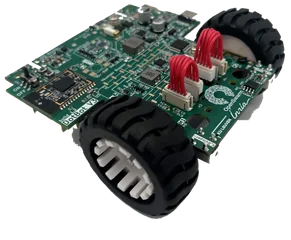
The robot: DotBot v3

The platform · The robot 1/2

Problem Swarms of 100+ robots are expensive to build and to keep charged

Solution A cheap robot, built by the hundreds, on supercaps that charge in about 30 s
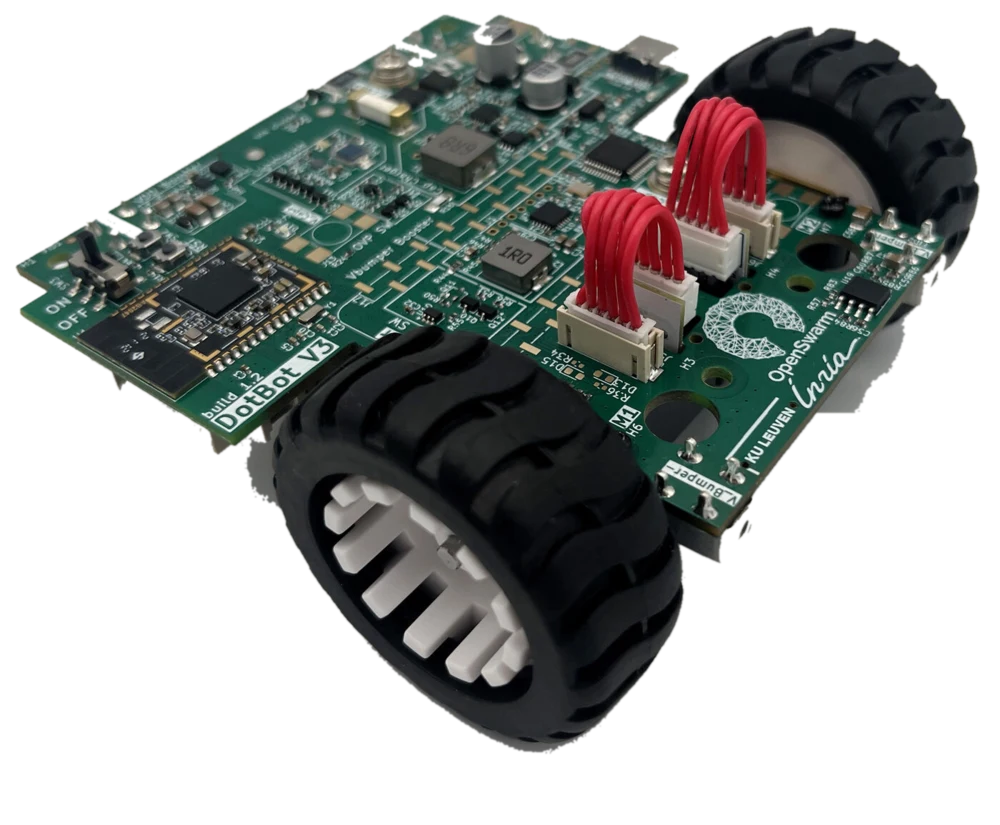
Loading the 3D model...
Figure 15: DotBot v3 in 3D. Drag to turn, hover a part.
  • About 95 mm square, two wheels and a ball caster
  • Up to about 0.8 m/s
  • Built for swarms: small, cheap, open source

Best Demo Award
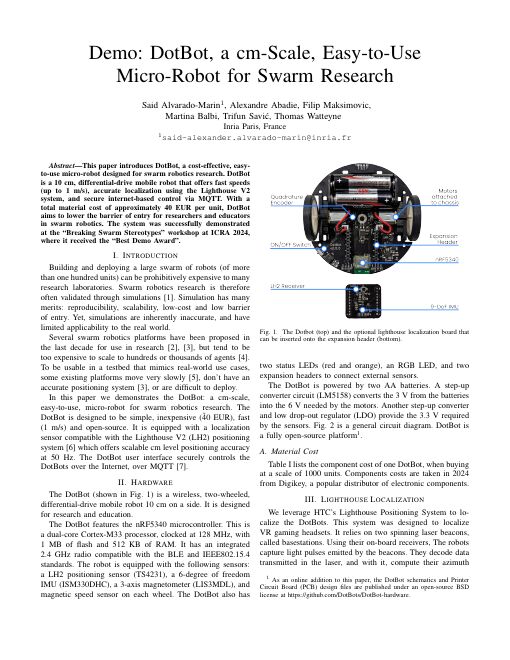
First page of the DotBot demo paper.
Figure 16: Demo: DotBot, a cm-Scale, Easy-to-Use Micro-Robot for Swarm Research. ICRA 2024 workshop Breaking Swarm Stereotypes. hal-04673787
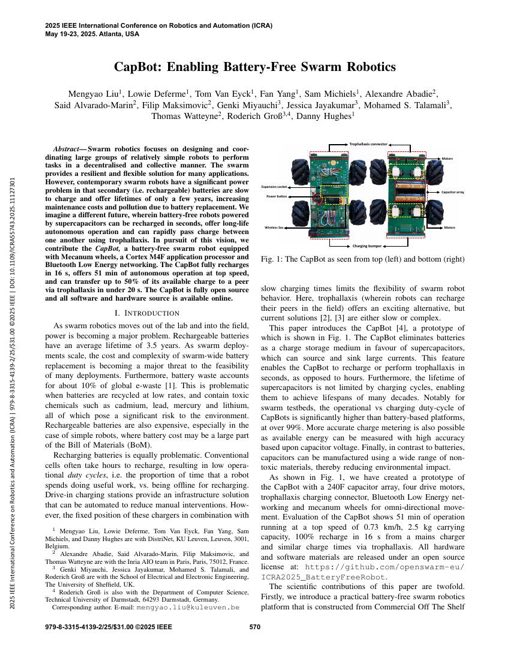
First page of the CapBot paper.
Figure 17: CapBot: Enabling Battery-Free Swarm Robotics. ICRA 2025, with KU Leuven: battery-free, on supercapacitors. hal-05289043

Inside, and what powers it

The platform · The robot 2/2
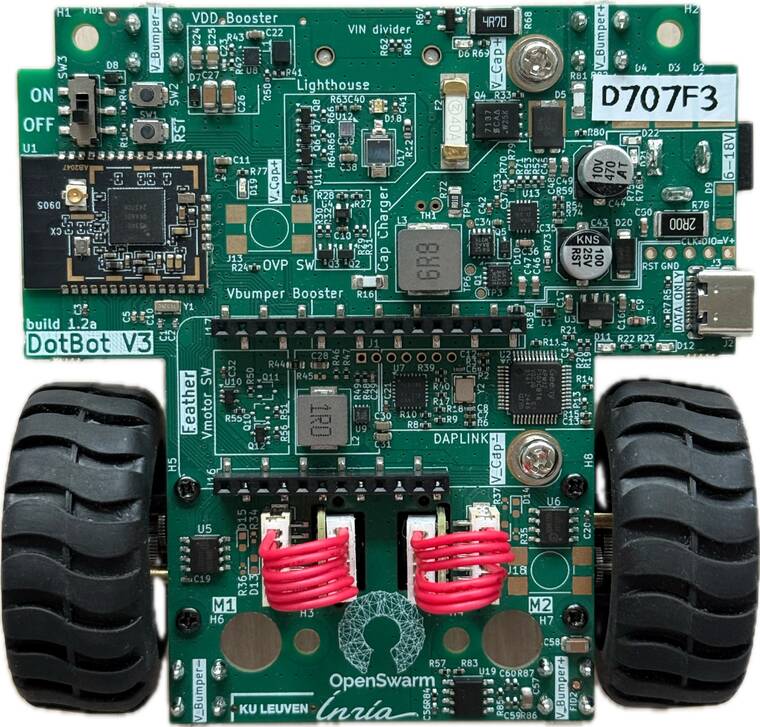
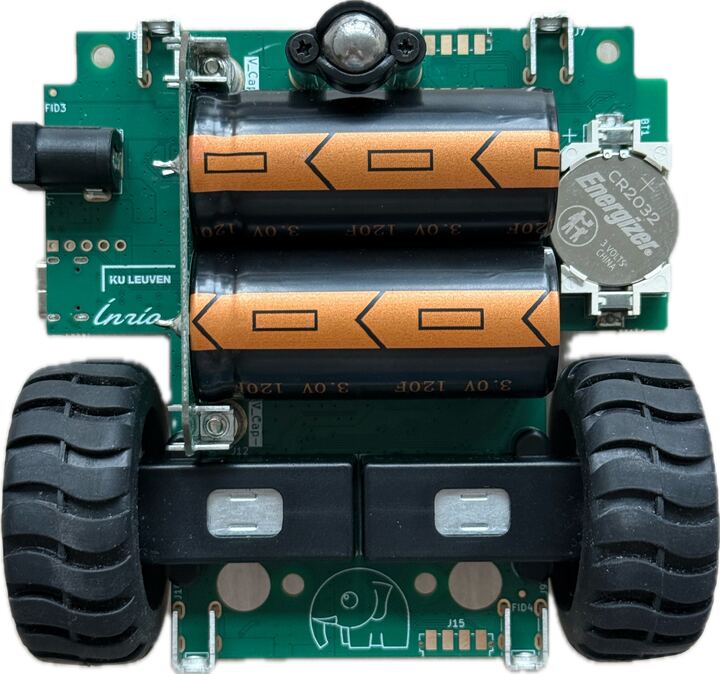
Top of a DotBot v3 board.
Figure 18: Top: the nRF5340 module, the RGB LED, the Lighthouse photodiode and the ON/OFF switch.
Bottom of a DotBot v3 robot: two supercapacitors and the gearmotors between the wheels.
Figure 19: Underneath: two 120 F supercapacitors, and the two gearmotors with their encoders.

no battery 2 x 120 F supercapacitors

30 s to a full charge

~1 h of typical use

OFF also empties the supercaps, for safety

Controller, console, simulator

The platform · PyDotBot 1/2 runs on your PC

Screenshot of the PyDotBot web console showing a map with 10 simulated robots.
Figure 20: The console of a simulator with 10 robots: the live map in the middle, testbed controls on the left, map layers on the right.
  • The controller turns the swarm into a REST API on your laptop, at localhost:8000
  • The console is a web page on that API: live map, joystick, flashing
  • The simulator serves the same API with no robots, so the same script runs on both

Where am I? Lighthouse 2

The platform · Localization 1/2 robot computes its position base station in the room

Problem Camera tracking is expensive and gets harder with more robots

Solution Off-the-shelf base stations, and every robot computes its own position on board

A base station sweeps infrared planes across the floor; each robot times them, and a one-time calibration turns that into (x, y) in mm.

Lighthouse base station sweeps two IR planes the photodiode times each pass calibrate once 4 corners your map, in mm 0 2000
Figure 21: The base station sees the floor at an angle (left); four known corners map it onto the square field of the map, in millimetres (right).

One photodiode per robot

The platform · Localization 2/2 runs on the robot

Top of a DotBot v3 board.
Figure 22: The one Lighthouse sensor on a DotBot v3: a photodiode on top of the board.
  • One diode and one chip per robot, decoded on a low-power microcontroller: no FPGA, no camera
  • Cheap: about $200 per base station, $2.30 + $1.20 for the diode and chip
  • Decentralized: after a one-time scene solve, every robot computes its own position
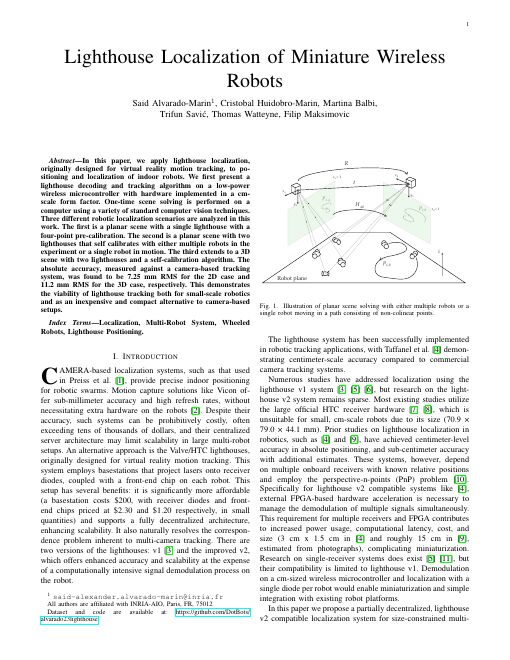
First page of the Lighthouse localization paper.
Figure 23: Lighthouse Localization of Miniature Wireless Robots. IEEE RA-L, 2024. DOI 10.1109/LRA.2024.3405345

Talking to 100 robots: Mari

The platform · Mari 1/3 net core firmware on the robot gateway in the room

Problem Wi-Fi and BLE struggle past about 50 robots

Solution About 100 robots per gateway, low latency for interactive control, a TSCH schedule for reliability

102 robots, 1 gateway
Figure 24: One gateway, up to 102 robots with responsive control.
  • The gap: Wi-Fi and BLE struggle past about 50 robots
  • TSCH on ordinary BLE radios: nRF52840, nRF5340
  • More robots, more gateways, with no coordination between them
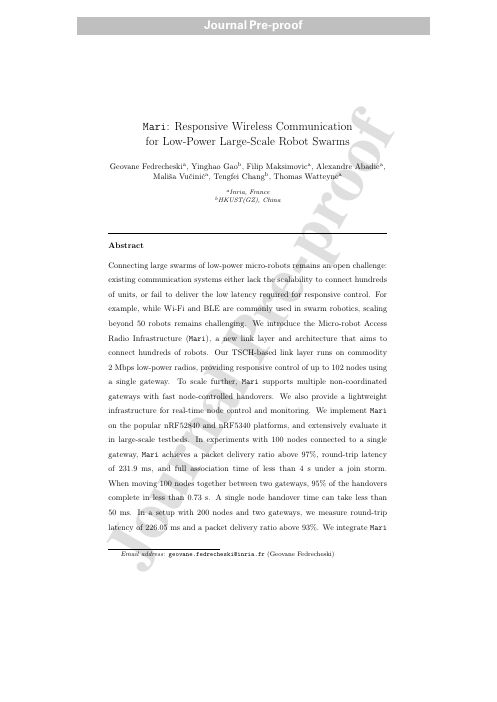
First page of the Mari journal paper.
Figure 25: Mari: Responsive Wireless Communication for Low-Power Large-Scale Robot Swarms. Ad Hoc Networks, 2026 (journal pre-proof). DOI 10.1016/j.adhoc.2026.104423

Best Demo Award

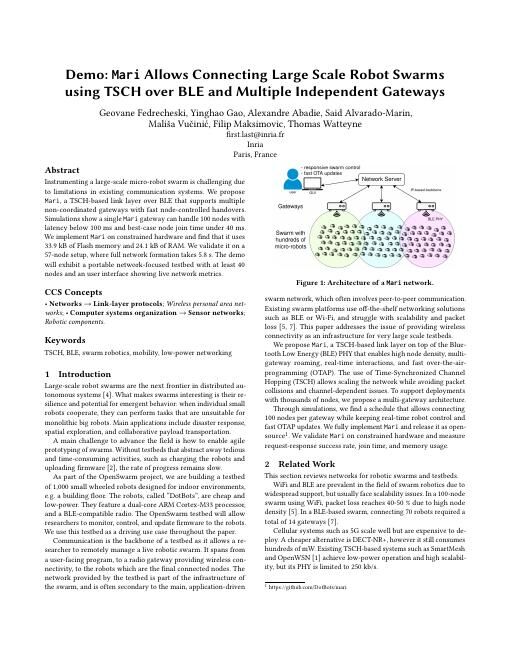
First page of the Mari demo paper.
Figure 26: Demo: Mari Allows Connecting Large Scale Robot Swarms using TSCH over BLE and Multiple Independent Gateways. EWSN 2025. hal-05280262

One slot each: the schedule

The platform · Mari 2/3

1.78 ms your robot BBBUUSDUUUUSDUUUU one slotframe: 17 slots, 30.26 ms, then it repeats frame after frame, your robot's slot comes back: no collisions with other robots B beacon S shared: join requests D downlink U uplink, one per robot
Figure 27: The smallest Mari schedule, for up to 10 robots, as in the Mari paper.

+2.5 ms per robot added to the slotframe

265.22 ms slotframe for 102 robots, 149 slots

40 to 231.9 ms median round trip, 10 to 102 robots

Moving between gateways

The platform · Mari 3/3

MQTT broker gateway A gateway B no coordination robots move each robot listens for other beacons in its idle slots, and switches when one is 12 dB stronger
Figure 28: Handovers in Mari: the robot decides, the gateways never talk to each other.

>97% packets delivered, 100 robots, 1 gateway

<4 s for all 100 to join at once

0.73 s 95% of handovers, 100 robots moving together

226 ms round trip with 200 robots on 2 gateways

Mari, Ad Hoc Networks, 2026: up to 200 nodes in the evaluation, 724 robots on 8 gateways in the DotBot testbed.

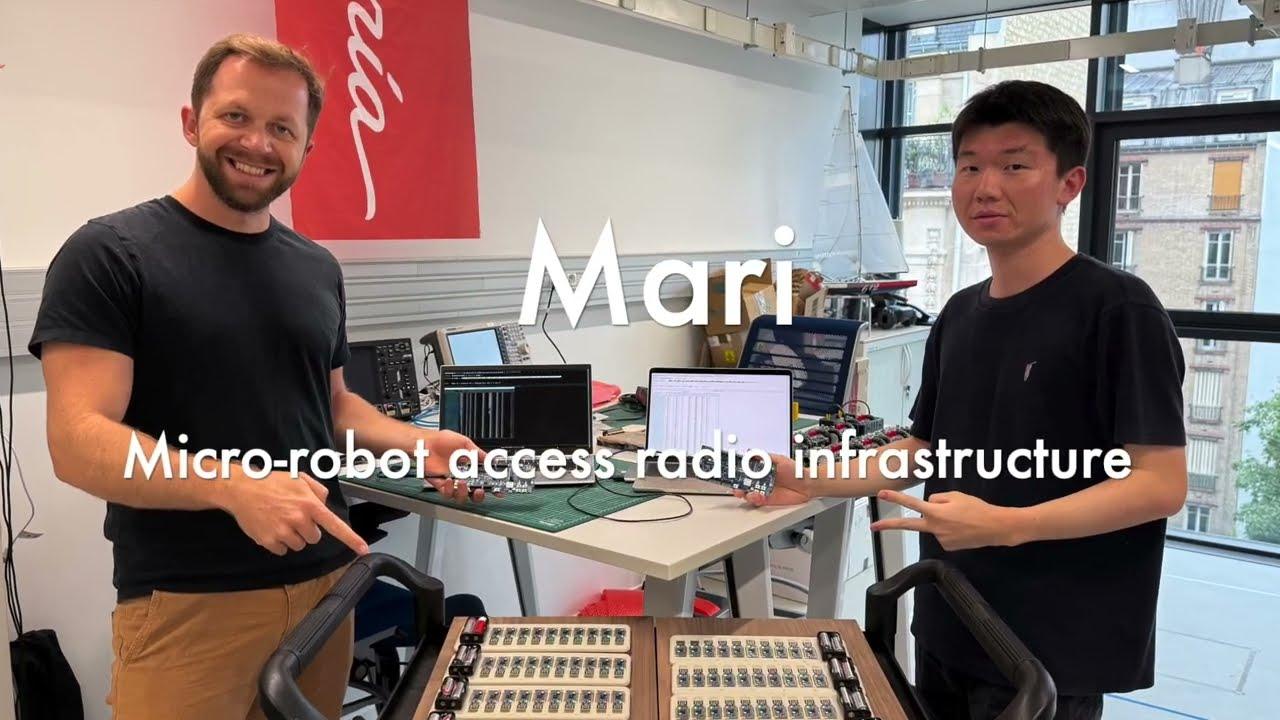
Mari in action

The platform · Mari video
Safe programming: SwarmIT

The platform · SwarmIT 1/2 runs on the robot: bootloader + sandboxed app

Problem Buggy user code can take a robot out of the testbed

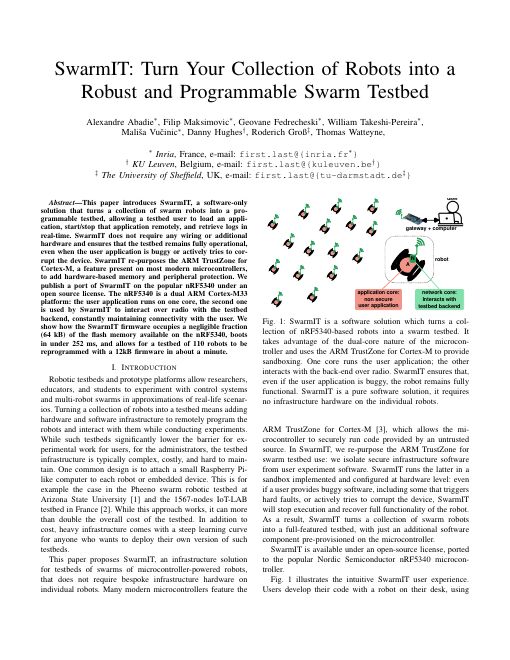
Solution Your app runs in a TrustZone sandbox, so every robot can be stopped, reflashed and recovered over the air
one nRF5340 chip application core your app non-secure world, sandboxed by TrustZone SwarmIT secure bootloader 64 kB secure flash · position, battery, radio network core Mari radio always on crash or hang: a watchdog resets into the bootloader within 1 s, and the robot stays reachable
Figure 30: SwarmIT on the nRF5340: your app runs in a hardware sandbox beside the secure bootloader, and the second core keeps the radio link alive.
First page of the SwarmIT paper.
Figure 31: SwarmIT: Turn Your Collection of Robots into a Robust and Programmable Swarm Testbed. DCOSS-IoT, 2026. hal-05661394

One command, the whole swarm

The platform · SwarmIT 2/2 runs on your PC

dotbot swarm flash spin -ys   # flash every robot over the air, then start
dotbot swarm stop             # back to the bootloader
dotbot swarm start            # run the loaded app again
your laptop MQTT broker Mari gateway radio every robot at once on each robot bootloader receives the app over the air your app runs in the sandbox start stop
Figure 32: From your PC to every robot at once.

~1 min 110 devices, 12 kB app (SwarmIT paper)

<4 min 600 robots, 4 kB app (Mari paper)

  • Broadcast in 128 B chunks: the next chunk goes out once every robot has acknowledged the last one
  • Checked before it runs: each robot compares a SHA-256 hash, and the bootloader switches only if it matches

Software: PyDotBot

The platform · PyDotBot 2/2 runs on your PC

Problem Many parts to fit together

Solution One command line, a controller with a REST API, a console and a simulator

One dotbot command for the whole workflow, from one robot to a thousand. Install it with pip install pydotbot.

dotbot fw Build, fetch and list firmware. Never touches hardware.

dotbot device Flash one board on a USB cable and read its info.

dotbot swarm The whole fleet over the air: status, flash, start, stop.

dotbot run Processes on your computer: controller, gateway bridge, simulator, demos.

Every command and flag: the CLI reference at pydotbot.readthedocs.io.

How it fits together

The platform · Architecture

you console, in your browser your Python script steps 4 to 8 controller one REST API, one console dotbot run controller real robots, over MQTT steps 5 to 8 or dotbot run simulator simulated robots inside REST REST real mode only MQTT broker local or hosted Mari gateway nRF5340-DK DotBot x 20 app core your app SwarmIT sandbox net core Mari radio MQTT MQTT radio dotbot swarm flash also start, stop, status SwarmIT, over the air, extra every robot at once, via broker and gateway PyDotBot
Figure 33: From you to the robots: the console, PyDotBot’s web page served by the controller, and your script talk to the controller’s REST API. Run it as dotbot run controller to reach the real robots, or as dotbot run simulator for the same API with simulated robots inside.

Scale: 725 robots

The platform · Scale
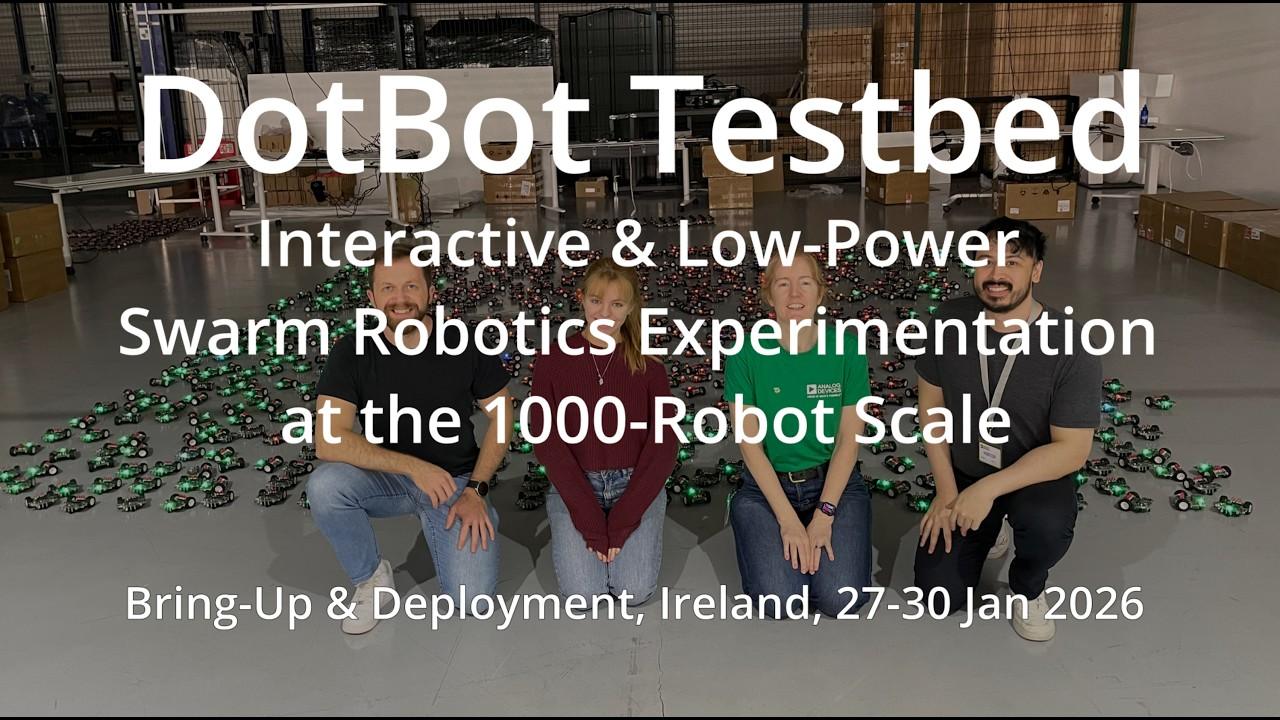
The 1,000 DotBots Testbed video: 725 robots in one deployment. Opens on YouTube.
Figure 34: 725 DotBots in one campaign, Limerick, January 2026, on YouTube: The 1,000 DotBots Testbed: First Large-Scale Deployment, youtube.com/watch?v=3Pfa05X7uXc

We hide the complexity

The platform · How you program it 1/2 runs on your PC

All of this is packaged for you. This is a whole program:

hello.py
import time

import academy

academy.connect("http://localhost:8000")  # your simulator
robot = academy.bot("000000")  # its first robot, by label
robot.led(255, 0, 0)  # red: red, green, blue, each 0 to 255
time.sleep(1)
robot.led(0, 255, 0)  # green
time.sleep(1)
robot.led(0, 0, 255)  # blue
robot.drive(speed=50, seconds=2)  # 50 mm/s for 2 s: about 100 mm

What it does not have to deal with

  • 📡 radio slots, gateways and the MQTT broker
  • 📍 base stations and calibration
  • 🛡️ the sandbox and the bootloader
  • 🤖 motors, encoders and the control loop

The same script runs on the simulator and on the real robots. No cables.

Many ways to program a DotBot

The platform · How you program it 2/2

WHAT YOU WRITE WHAT IT REACHES, AND HOW simpler more control TODAY · steps 4 to 8 HIGH A Python script talks to the controller's REST API the whole swarm, no cables python3 hello.py TODAY · extra MID Prebuilt sandbox apps spin, lights, remote-control the whole swarm, over the air dotbot swarm flash spin also possible LOW Your own C app, down to registers a sandbox app, like regblink the whole swarm, over the air dotbot fw build → swarm flash also possible LOWEST Full firmware on one robot any C code, outside the sandbox one robot, on a USB-C cable dotbot device flash
Figure 35: The same robot, four ways in: from a Python script for the whole swarm down to C on one robot over a cable. Today you use the two green rungs, with no cables; the grey ones are also possible.

Hands-on

Next: step 3, your swarm in the simulator

Check your install, start it now

Step 3 · Your swarm in the simulator

cd ~/dotbot-academy
source .venv/bin/activate
dotbot --version
dotbot config init
dotbot run simulator --robots 4

Windows: .\.venv\Scripts\Activate.ps1 to activate. Told to upgrade? pip install --upgrade pydotbot

Together Check the version, start the simulator: four robots on the map

Duos Core: drive one from the console pad

Something fails? Raise your hand: we fix it now, not at step 4.

Light it, drive it

Step 4 · My script moves a simulated robot

hello.py
import time

import academy

academy.connect("http://localhost:8000")  # your simulator
robot = academy.bot("000000")  # its first robot, by label
robot.led(255, 0, 0)  # red: red, green, blue, each 0 to 255
time.sleep(1)
robot.led(0, 255, 0)  # green
time.sleep(1)
robot.led(0, 0, 255)  # blue

Together Download academy.py (the box at the top of the step 4 page), save hello.py, run python hello.py: robot 000000 turns red, green, blue

Duos Core: add a drive(), change its speed and time, then add a spin()

Challenge If there is time: a square, turning left

led(), drive(), spin(): speeds in mm/s, and each move stops by itself.

The real path

Step 5 · Connecting to the real robots

your laptop console in the browser your Python script http://<instructor-ip>:8000 instructor's laptop controller MQTT broker gateway radio how the controller reaches the robots the robots
Figure 36: What you need from step 5 on: your console and your script talk to my controller at http://<instructor-ip>:8000; it reaches the robots through the broker, the gateway and the radio.

Find your two robots

Step 5 · Connecting to the real robots

connect.py
"""Step 5: connecting to the real robots.

Point academy at the instructor's controller, find your two robots by their
labels, and light them up to check they are yours.
You should see: your two robots on the floor turn green, and their dots in
the instructor's console turn green too.
"""

import academy

BASE_URL = "http://192.168.1.10:8000"  # TODO: the instructor's controller, from the board
LABELS = ["A1B2C3", "D4E5F6"]  # TODO: the labels on your two robots

robots = academy.connect(BASE_URL)
print(len(robots), "robots on the controller")

for label in LABELS:
    robot = academy.bot(label)
    print("Found", label, "at", robot.position())
    robot.led(0, 255, 0)  # green: this one is yours

Instructor The console link on the board: http://<instructor-ip>:8000/console/

Duos Find your two labels in the console, then light them with connect.py: both turn green

On the floor

Step 6 · My script moves a real robot

real.py
import time

import academy

BASE_URL = "http://192.168.1.10:8000"  # TODO: the instructor's controller
LABEL = "A1B2C3"  # TODO: the label on one of your two robots

academy.connect(BASE_URL)
robot = academy.bot(LABEL)
robot.led(255, 0, 0)  # red: red, green, blue, each 0 to 255
time.sleep(1)
robot.led(0, 255, 0)  # green
time.sleep(1)
robot.led(0, 0, 255)  # blue

Duos Core: real.py on one robot, then add the step 4 lines one at a time: drive, back, spin

Challenge If there is time: the square, with QUARTER_TURN tuned again

Same script, two lines changed. Watch where it ends.

Go there by itself

Step 7 · Moving to a certain position

example.py
import time

import academy

academy.connect("http://localhost:8000")  # your simulator
robot = academy.bot("000000")  # its first robot

x, y = robot.position()  # in mm: x grows to the right, y grows DOWN the map
print("Start:", x, y)

for target in [(x, y - 300), (x + 300, y - 300), (x, y)]:  # up, right, back
    robot.led(0, 0, 255)  # blue while it drives
    robot.goto(*target)
    while not robot.arrived():
        time.sleep(0.5)
    robot.led(0, 255, 0)  # green: there
    off = academy.distance(robot.position(), target)
    print("At", robot.position(), f"{off:.0f} mm from {target}")
  • drive(), spin(): open loop, they count time
  • goto(x, y): closed loop, the robot checks its position until it is there
  • (x, y) in mm, origin at the top-left, y grows down
  • arrived() instead of sleep()

Duos Core: there and back with goto()

Both at once

Step 8 · My two robots at once

goto() returns at once: give every robot its target first, then wait for all of them.

Together Run two.py as it is: A drives, then B, one after the other

Duos Core: make them leave at the same moment, with goto()

Optional academy_parallel.py: drive() and spin() on both robots at the same time, with wait=False

Extra: Flash it

Extra · For advanced groups or when time allows

Put your own programs on your two robots, over the air: lights, spin, then remote-control again.

Duos With your duo.toml: dotbot swarm -c duo.toml stop, then flash lights -ys, spin, remote-control

Every number in these slides comes from the papers on the References page or from the team’s DotBot v3 hardware notes. Docs: pydotbot.readthedocs.io.

Extra slides

For questions and duos ahead

Calibrating from circles

Extra · Localization

what the base station sees circles look like ellipses conic algebra recovers the floor plane the floor, rectified circles again, in true proportions
Figure 37: A robot spinning on one wheel traces small circles. From an angle they are ellipses (left); the method finds the view in which they are circles again, which is the floor seen from above (right).

7.77 mm mean error, calibrated from circles

5.37 mm with the manual method, for comparison
First page of the Lighthouse conics calibration paper.
Figure 38: Automatic Lighthouse Calibration Using Conics for Indoor Robot Localization. IEEE RA-L, 2025. DOI 10.1109/LRA.2025.3575319

OpenSwarm, and who funds this

Extra · Funding

  • OpenSwarm is a research project funded by the European Union, 2023 to 2026
  • Its testbed: 1,000 small wheeled robots for indoor spaces, such as a building floor, that researchers can monitor, control and reprogram remotely
  • The DotBots are that testbed: about 1,150 were produced for OpenSwarm, and the robot, Lighthouse, Mari and SwarmIT papers all acknowledge its grant
  • Partners in the papers: Inria in Paris, with KU Leuven and the University of Sheffield on the CapBot robot
  • Since May 2026 the testbed continues at Inria Paris

Horizon Europe · Grant Agreement No. 101093046 This project has received funding from the European Union’s Horizon Europe Framework Programme under Grant Agreement No. 101093046. Views and opinions expressed are however those of the author(s) only and the European Commission is not responsible for any use that may be made of the information it contains.